
 WooCommerce extension development

How we run WooCommerce extension development
We are a remote-first team based in Delhi, India. Every project starts with a free 30-minute audit.
- Price
- Fixed in the quote after the free audit
- Timeline
- Agreed in the quote, before work starts
- You keep
- The extension code, in your repository
- After launch
- New orders watched for the first few days
WooCommerce extension services
Custom extensions and payment gateways for stores that run HPOS and the Cart and Checkout blocks.
HPOS-ready extensions
Order data is read and written through the order object and wc_get_orders(), not straight from post meta. We test with HPOS on and compatibility mode off, the setting that exposes hidden post-meta reads.
Cart and Checkout blocks
Checkout fields move to the Additional Checkout Fields API where it fits. Anything richer becomes a blocks integration with its own script, and its data travels through the Store API.
Payment gateways
A gateway is more than a card form. Ours handle every outcome at the payment provider, paid, declined and refunded, so each order ends in the right status.
Older plugins brought up to date
Often the plugin was written by someone who has moved on. We search it for order touchpoints such as get_post_meta calls and shop_order queries, write the list down so you can see the scope, then move each one over.
Compatibility declared
The plugin declares custom_order_tables and cart_checkout_blocks compatibility, and the readme's tested-up-to version and changelog are updated, so it is ready for stores running HPOS and the block checkout.
Version testing and release
Tested across current and recent WooCommerce, WordPress and PHP versions. Releases go to staging first, then production with a rollback ready, and we watch new orders for the first few days.
How we update an extension for HPOS and blocks
The same order on every project. Your dates are set in the quote.
- Step 01
Audit every order touchpoint
We search the code for post-meta reads on orders, shop_order queries and classic checkout hooks. You get the list before we quote.
- Step 02
Move data access to CRUD
We swap each read and write to the order object and wc_get_orders(), and save custom data as order meta.
- Step 03
Test with sync off
We run the tests with HPOS on and compatibility mode off, then again on legacy storage.
- Step 04
Rebuild the checkout parts
We move fields to the Additional Checkout Fields API where it fits, and build anything richer as a blocks integration.
- Step 05
Declare both features
We declare custom_order_tables and cart_checkout_blocks compatibility, and update the readme and changelog.
- Step 06
Release carefully
We release to staging first, then production with a rollback ready, and watch new orders for the first few days.
What we need from you
A staging copy of the store, the code of any extension we are updating, and test access to the payment provider.
Cart and Checkout blocks vs the classic shortcode checkout
The block checkout has been the default on new WooCommerce stores since 8.3. It’s a separate React app that talks to WooCommerce through the Store API, so the way an extension adds things to it is different all the way down.
| What you want to do | Cart and Checkout blocks | Shortcode checkout |
|---|---|---|
| How the page is built | React components in the browser, data from the Store API (/wc/store/v1) | PHP templates rendered on the server, overridable from the theme |
| Add a checkout field | Additional Checkout Fields API: register the field in PHP and WooCommerce renders, validates and saves it | woocommerce_checkout_fields filter plus your own save hook |
| Add custom UI | Slot and fill components, or an inner block registered through the blocks integration interface | Action hooks such as woocommerce_review_order_before_payment |
| Pass extra data | Extend Store API endpoints with your own namespaced schema data | Read $_POST during woocommerce_checkout_process |
| Payment gateway | Gateway class plus a JavaScript payment method registered with the blocks registry | Gateway class extending WC_Payment_Gateway |
| Theme template overrides | Not used. Styling goes through block settings and theme.json | checkout/form-checkout.php and friends |
| Old checkout hooks | Most classic template hooks never fire, which is why fields “vanish” after switching | All available |
Our advice: if you’re starting fresh, build for blocks and keep the classic path only if your theme or another plugin forces it. If you’re already on the shortcode checkout and nothing’s broken, there’s no fire. But plan the move, because new checkout features land in blocks first.
Work related to this service
A few projects close to this kind of work: what was needed and what we built.
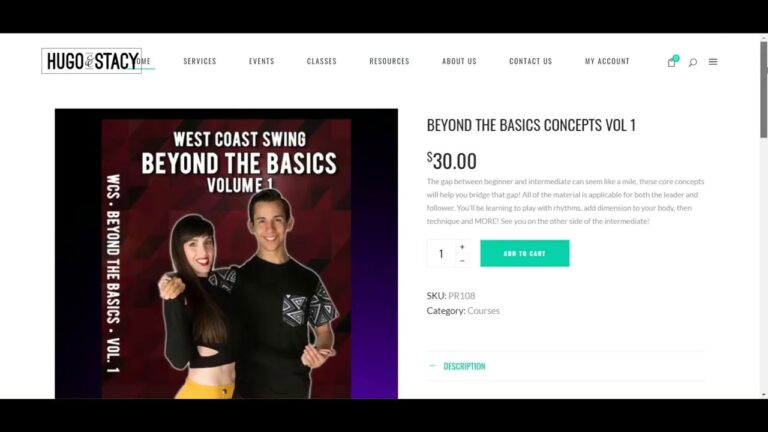
Hugo and Stacy dance courses
A store for dancers Hugo and Stacy, selling digital download dance courses with payment and instant download, hosted on AWS.

Spinney Fishing Supply on BigCommerce
A BigCommerce store for Spinney Fishing Supply, which sells fishing and boating supplies to beginners, hobbyists and professional anglers.

Vproteomics website redesign
A WordPress redesign for Vproteomics, a proteomics services company, built around its discovery and targeted proteomics services.
Ecommerce by industry
Each industry has its own stock, pricing and delivery rules. Pick yours to see the common problems and what we build.
- B2B wholesale and distributionTrade pricing, quotes, bulk orders→
- Health and beautySubscriptions and repeat orders→
- Home and furnitureLarge catalogues, delivery slots→
- Food and beverageFresh stock and fast fulfilment→
- Industrial and manufacturingParts catalogues tied to the ERP→
- Fashion and apparelSizes, variants and returns→
- Electronics and technologySpecs, bundles and warranties→
- Not listed?Tell us your industry→
About WooCommerce extensions
Anything else, ask on the audit call.
Not answered here? Ask on the free 30-minute audit call.
Book a free auditIs the extension compatible with HPOS?
Yes. Everything we build reads and writes orders through WooCommerce’s order APIs, never directly from the posts tables, and declares compatibility with High-Performance Order Storage.
Will it work with the block checkout?
Yes. We extend the Cart and Checkout blocks through the Store API and the blocks integration interface, and keep a fallback for stores still on the classic shortcode checkout when needed.
Can you build a payment gateway?
Yes: a gateway class for the classic checkout and a block-checkout integration, with refunds, webhooks from the payment provider and order notes that make support easy.
Can you list it on the Woo Marketplace?
Yes. We prepare the extension for Woo’s Marketplace review: coding standards, security scans, compatibility with recent WooCommerce, WordPress and PHP versions, and documentation.
Which versions do you support?
We test against the current and recent WooCommerce and WordPress releases and the PHP versions your hosting runs, and we add new releases to the test matrix as they ship.
Do we have to move to the block checkout?
No. The shortcode checkout still works and is still supported. New stores get the block checkout by default, and new checkout features tend to land there first, so we’d plan the move rather than rush it. What matters more is whether your extensions support blocks yet.
Why did a checkout field disappear after switching to the Checkout block?
Because it was almost certainly added with classic checkout hooks or template overrides, which the block checkout doesn’t use. The fix is to register the field through the Additional Checkout Fields API or a blocks integration, and save it as order meta.
Can HPOS be turned off again?
Yes, while compatibility mode is keeping the posts tables in sync you can switch between HPOS and legacy storage in WooCommerce settings. That’s why we test with sync off before a store commits to HPOS alone.
How do I know which plugins aren’t HPOS compatible?
WooCommerce lists them for you on the Features screen under Settings, Advanced. Plugins that haven’t declared compatibility show up there and block the switch.
Do you build WooCommerce plugins for WordPress.org as well as private use?
Yes, both. A plugin for WordPress.org goes through directory review. Private extensions for a single store skip that review entirely.
What does a WooCommerce extension audit cost?
It depends on the size of the plugin and how many order and checkout touchpoints it has. We start with a free 30-minute call, then send a fixed quote for the audit and a separate one for the fixes.
Certifications and partner programmes
Intelligize Digital is a registered partner of these platforms and hosts.
 ShopifyShopify Partner
 BigCommerceBigCommerce Partner
 WP EngineWP Engine partner
 AutomatticAutomattic for Agencies
- NNexcessNexcess partner
 HostingerHostinger partner
 BigCommerce Certified
 BigCommerce Certified
 Liquid Storefronts for Theme DevelopersShopify Certified
 Headless at Shopify for DevelopersShopify Certified
 Shopify FoundationsShopify Certified
What should your
extension do?
Tell us the job, your checkout (blocks or classic) and your hosting. An engineer replies within one business day.
What happens next
- An engineer replies Within one business day, by email.
- A free 30-minute audit On a call with an engineer.
- A fixed quote It follows the audit. Nothing is billed before you agree it.