

How we run BigCommerce app development
We are a remote-first team based in Delhi, India. Every project starts with a free 30-minute audit.
- Price
- Fixed in the quote after the free audit
- Timeline
- Agreed in the quote, before work starts
- You keep
- The code, hosted in your cloud
- After launch
- Reviewer feedback fixed until the app is live
BigCommerce app services
A BigCommerce app can mean several different things. They differ in who installs them, where the code runs and how much there is to maintain.
Single-click app
A merchant clicks Install, approves the scopes you ask for, and the app opens inside the BigCommerce control panel. We build the install, load and uninstall callbacks and the control panel screens.
Store API account and scripts
Not every job needs a screen. A store-level API account gives a server-side service a token for one store, with only the scopes it needs, for jobs such as sending orders to your ERP.
Catalyst storefront features
Features for BigCommerce's open-source headless storefront, built on Next.js with React Server Components. It reads catalogue, cart and customer data through the GraphQL Storefront API, and you host it yourself.
Stencil theme features
Features for the hosted theme framework: Handlebars templates, SCSS and a little JavaScript, developed locally with the Stencil CLI and pushed to the store. BigCommerce hosts it, so there is no server for you to run.
Hosting and security
The app is hosted in your cloud and sits between the store and your other systems. Tokens stay on the server, scopes are kept to the minimum, and customer data is deleted when a merchant uninstalls.
App Marketplace listing
For a public app we write the listing: name, description, screenshots, pricing and support details. We submit it, fix the reviewer's feedback and stay with it until it is live on the App Marketplace.
From sandbox to App Marketplace
The same order on every project. Your dates are set in the quote.
- Step 01
Partner sandbox
We start your app in a BigCommerce sandbox store under a partner account, away from any live store.
- Step 02
App build
We build the install, load and uninstall callbacks, the control panel screens and the API work.
- Step 03
Security review
We check token storage, minimum scopes and data deletion on uninstall before submission.
- Step 04
Listing
We write the name, description, screenshots, pricing and support details for merchants.
- Step 05
Launch
We submit the app, fix the reviewer's feedback and take it live on the App Marketplace.
What we need from you
A partner account and sandbox store, API access to the systems the app connects to, and one person who can decide what the first version does.
Who a custom BigCommerce app is for, and who it isn’t
We’d rather lose a project at this stage than build something you didn’t need. These are the signs we look for.
Build an app if…
- Your team re-keys data every day. Orders into an ERP, tracking numbers back out, price lists from a spreadsheet. A connector pays for itself fast.
- You sell software to BigCommerce merchants. A Marketplace listing with a proper single-click install is how they’ll expect to find you.
- You’re on Catalyst and need custom components. Store locators, configurators, account features that need clean server-side code.
- You sell B2B with rules the platform can’t express. Quote approvals, account-specific catalogues, PO workflows.
Hold off if…
- A Marketplace app already does 80 percent of it. Pay the subscription. We’ll say so on the call.
- The fix is built into BigCommerce. Price lists, customer groups and multi-storefront cover more than most people realise.
- You’re about to change platform. Build after the move. See BigCommerce to Shopify or Shopify to BigCommerce.
- It’s one script on one page. A Script Manager snippet or a theme edit is cheaper than an app with a server.
What pushes the price of BigCommerce app development up or down
We don’t quote from a rate card, because two apps with the same name can be a week apart in effort. These are the things that move the number.
Pushes it up
A public Marketplace listing
Every store’s data kept separate, onboarding, billing, support docs and review fixes.
Multi-storefront support
Prices, stock and settings that differ per channel mean every screen and query has to know which storefront it’s on.
Two-way sync with another system
Conflicts, retries and a reconciliation job. One-way is far simpler.
Stencil and Catalyst both
The same widget built twice, once in Handlebars and once in React.
Brings it down
One store, no listing
An API account and a server-side service skip install flows and review completely.
Using what BigCommerce already has
Customer groups and price lists instead of a custom pricing engine.
Read-only first
Show the data before you let the app change it. Version two can write back.
One decision-maker
Fast answers on a weekly demo keep a six-week build at six weeks.
You’ll get a fixed quote after the free audit. Ongoing hosting is usually a modest monthly cost for a single-store app; we’ll give you the figure before you sign.
Work related to this service
A few projects close to this kind of work: what was needed and what we built.
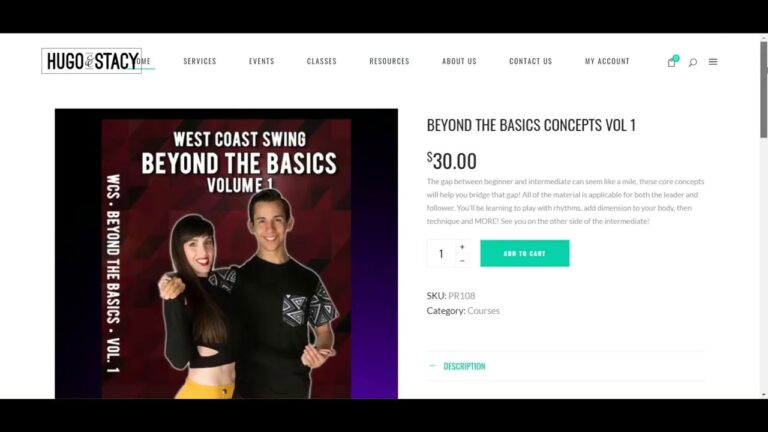
Hugo and Stacy dance courses
A store for dancers Hugo and Stacy, selling digital download dance courses with payment and instant download, hosted on AWS.
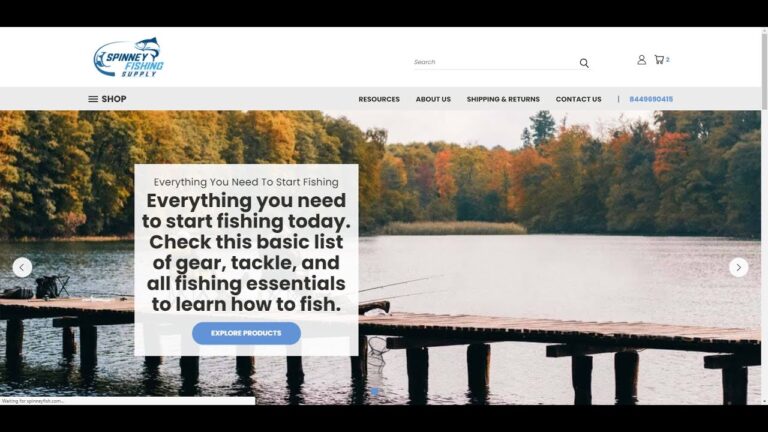
Spinney Fishing Supply on BigCommerce
A BigCommerce store for Spinney Fishing Supply, which sells fishing and boating supplies to beginners, hobbyists and professional anglers.

Vproteomics website redesign
A WordPress redesign for Vproteomics, a proteomics services company, built around its discovery and targeted proteomics services.
Ecommerce by industry
Each industry has its own stock, pricing and delivery rules. Pick yours to see the common problems and what we build.
- B2B wholesale and distributionTrade pricing, quotes, bulk orders→
- Health and beautySubscriptions and repeat orders→
- Home and furnitureLarge catalogues, delivery slots→
- Food and beverageFresh stock and fast fulfilment→
- Industrial and manufacturingParts catalogues tied to the ERP→
- Fashion and apparelSizes, variants and returns→
- Electronics and technologySpecs, bundles and warranties→
- Not listed?Tell us your industry→
About BigCommerce apps
Anything else, ask on the audit call.
Not answered here? Ask on the free 30-minute audit call.
Book a free auditWhat is a single-click app?
It is BigCommerce’s standard app model: the merchant clicks Install, approves the permissions the app asks for, and the app loads inside their control panel. Behind the scenes the app completes an OAuth handshake and stores a token for that store.
Stencil or Catalyst for storefront features?
Stencil is BigCommerce’s theme framework built on Handlebars. Catalyst is its newer headless storefront built with Next.js and React. We build app features for either, and we tell you which your store is on before we quote.
Which APIs do you use?
The REST Management API for catalogue, orders and customers, the GraphQL Storefront API for buyer-facing data, and webhooks for events such as orders being created or products changing.
Can you list our app on the BigCommerce App Marketplace?
Yes. We prepare the app for BigCommerce’s review, write the listing and handle the feedback. For apps used by one business only, no listing is needed.
Are you a BigCommerce Partner?
Yes. Intelligize Digital is a member of the BigCommerce Partner Program.
What’s the difference between a single-click app and an API account?
A single-click app is installed by a merchant through OAuth, opens inside the control panel and can be listed on the App Marketplace. A store-level API account is a token for one store, created in the control panel, used by a server-side service with no install flow and no screen. Connectors usually use the second; tools staff open every day use the first.
What is the signed payload JWT?
When a merchant opens your app, BigCommerce calls your load callback with a signed_payload_jwt. Your app verifies it with its client secret to confirm which store and which user is asking before showing any data. Skipping that check is a security hole and a review failure.
Can an app work with Catalyst storefronts?
Yes, but differently from Stencil. Catalyst is a Next.js codebase you host, so storefront features are React components and GraphQL Storefront API calls in your repository. Scripts added through the Scripts API don’t apply to a headless Catalyst storefront.
What happens when a merchant uninstalls the app?
BigCommerce calls your uninstall callback. A well-built app stops its scheduled jobs, discards that store’s access token and deletes or archives its data according to the privacy policy on the listing.
Do BigCommerce webhooks ever stop working?
They can. If your endpoint keeps failing, BigCommerce retries for a while and may then deactivate the hook. We monitor webhook health, answer quickly and queue the work, and run a scheduled check that re-reads recent orders so nothing is missed.
Certifications and partner programmes
Intelligize Digital is a registered partner of these platforms and hosts.
 ShopifyShopify Partner
 BigCommerceBigCommerce Partner
 WP EngineWP Engine partner
 AutomatticAutomattic for Agencies
- NNexcessNexcess partner
 HostingerHostinger partner
 BigCommerce Certified
 BigCommerce Certified
 Liquid Storefronts for Theme DevelopersShopify Certified
 Headless at Shopify for DevelopersShopify Certified
 Shopify FoundationsShopify Certified
What should your
BigCommerce app do?
Tell us the job, your storefront (Stencil or Catalyst) and whether it should be listed. An engineer replies within one business day.
What happens next
- An engineer replies Within one business day, by email.
- A free 30-minute audit On a call with an engineer.
- A fixed quote It follows the audit. Nothing is billed before you agree it.