
 WordPress plugin development

How we run WordPress plugin development
We are a remote-first team based in Delhi, India. Every project starts with a free 30-minute audit.
- Price
- Fixed in the quote after the free audit
- Timeline
- Agreed in the quote, before work starts
- You keep
- The plugin code, in your repository
- After launch
- Kept current after each WordPress release
WordPress plugin services
Custom plugins that are secure by default and light on the front end.
Editor blocks
Blocks registered with block.json, so editors place and set up the feature in the block editor. Scripts and styles load only on pages that use the block, not on every page of the site.
Settings screens
A settings screen that checks the user's capability and a nonce on every save, and sanitises what is stored. That closes the door on a forged request changing your settings.
REST routes
REST routes with a permission check on every endpoint, so nothing changes data without the right role. Database queries are prepared and output is escaped, the checks directory reviewers look for first.
WP-CLI commands
Commands for imports, clean-ups and other heavy jobs that should not run in a browser. Heavy work stays off page loads, so the plugin does not slow the site for visitors.
Multisite support
One plugin that activates and behaves correctly across a whole network of sites. Activation, updates and a clean uninstall are handled for every site, so nothing is left behind when the plugin is deleted.
WordPress.org directory
If you want a public listing, we run Plugin Check on every pull request and meet the directory guidelines before we submit. That includes GPL-compatible licences for every bundled library and a validated readme.
From audit to hand-over in five steps
The same order on every project. Your dates are set in the quote.
- Step 01
Audit
We hold a free 30-minute call about what you have today and what is going wrong.
- Step 02
Quote
You get a fixed scope, price and dates in writing.
- Step 03
Build
We build in your own accounts and show you progress each week.
- Step 04
Test
We check changes on a staging copy or a test set-up before they go live.
- Step 05
Hand over
You get documentation and a walkthrough for your team.
What we need from you
A staging copy of the site, a list of the plugins and theme it runs, and one person who can decide what the first version does.
The WordPress.org plugin guidelines, explained
Every new plugin submitted to the directory is read by a person on the Plugin Review Team before it goes live. The guidelines are public and fairly short. These are the ones that catch most first submissions, and what we do about each before we press submit.
GPL-compatible, all of itLicensing
The plugin’s code, its bundled libraries and its images must all carry a GPL-compatible licence. You can still sell a premium add-on or a service, but the directory version can’t be a trial that locks features after 14 days or behind a licence key.
What we do Check every Composer and npm dependency’s licence before we bundle it, and keep paid features in a separate add-on plugin.
Code a human can readNo obfuscation
Obfuscated or packed PHP is rejected. Minified JavaScript is fine as long as the readable source ships in the plugin or is publicly linked, which matters for any block built with a bundler.
What we do Ship the
src/folder alongsidebuild/, and say so in the readme.No phoning home without opt-inPrivacy and external services
Usage tracking needs the site owner’s explicit consent. If the plugin talks to an outside service (a shipping API, a licence server, your SaaS), the readme has to name the service, say what data is sent and when, and link to its terms and privacy policy.
What we do Tracking off by default, an “External services” section in readme.txt, and no remote calls until the admin has connected an account.
Sanitise in, escape outSecurity
This is where most rejections land. Reviewers check that input is sanitised and validated, output is escaped late, forms use nonces, actions check capabilities and SQL uses
$wpdb->prepare(). One unescapedechois enough for a “please fix and resubmit”.What we do Run PHPCS with the WordPress Coding Standards ruleset in CI, so a missed escape fails the build long before a reviewer sees it.
Use what WordPress already shipsBundled libraries
Plugins shouldn’t bundle their own copy of jQuery, React or other libraries core already includes, and they shouldn’t load scripts or fonts from a third-party CDN unless that’s the service the plugin exists to provide.
What we do Declare dependencies through
@wordpress/scripts, which writes the asset file listing core handles for you.A readme.txt that answers questionsListing
The readme sets the “Tested up to”, “Requires PHP” and “Stable tag” values, the short description (150 characters at most), the FAQ, screenshots and changelog. The plugin’s name can’t start with someone else’s trademark, which is why so many plugins end in “for WooCommerce”.
What we do Validate the readme with the official validator and keep “Tested up to” current after every core release.
Releases go through SVNDeployment
Once approved, you get an SVN repository with
trunk/,tags/andassets/. The “Stable tag” in trunk’s readme decides which tagged version people actually download. Get it wrong and users either get nothing or get untested code.What we do Develop in Git and deploy tags to SVN from a GitHub Action, so nobody hand-copies files at 11pm.
Run Plugin Check firstPre-flight
Plugin Check (PCP) is the official tool the review team maintains. It runs many of the same automated checks reviewers rely on: escaping, direct file access, prefixing, readme headers, i18n and more. It won’t catch everything, but a clean run removes the obvious round trips.
What we do Run Plugin Check from WP-CLI on every pull request and treat its errors as build failures.
Six plugin mistakes that slow WordPress down
We inherit a lot of plugins written by someone else. None of these break the site on day one. They just make every page a little heavier, and every update a little scarier, until someone asks why the admin takes eight seconds to load.
Storing a huge array as an autoloaded option
Everything marked autoload is read from the database on every single request, front end and admin. It isn’t rare to find a plugin keeping a multi-megabyte log in one. Site Health now flags large autoloaded options for exactly this reason.
Costs you Slower time to first byte on every page, not just the plugin’s.
CSS and JS on every page
A contact-form script loaded on the product archive. Multiply by fifteen plugins.
Costs you Core Web Vitals, and buyers on mobile data.
Filtering on meta values at scale
A meta_query on an unindexed value is fine with 500 posts and painful with 500,000.
Costs you Database load, and timeouts on search pages.
Heavy jobs on init
Syncing a feed while a visitor waits. That belongs in WP-Cron or Action Scheduler, in batches.
Costs you Random slow page loads you can’t reproduce.
No prefix, no namespace
A global function called get_settings() will collide with something eventually.
Costs you A fatal error the day another plugin updates.
Raw cURL and no timeouts
Calling an API with file_get_contents() or bare cURL skips the HTTP API’s proxy settings, SSL handling and filters. We use wp_remote_get() with a short timeout and cache the answer in a transient.
Costs you The whole site hanging when someone else’s API is down.
Work related to this service
A few projects close to this kind of work: what was needed and what we built.
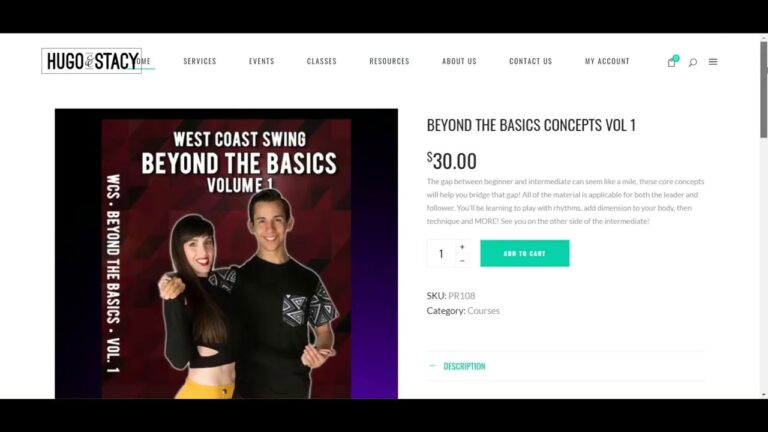
Hugo and Stacy dance courses
A store for dancers Hugo and Stacy, selling digital download dance courses with payment and instant download, hosted on AWS.
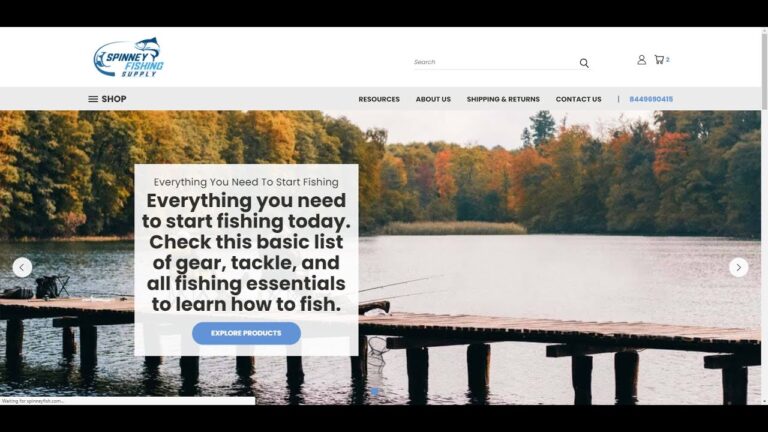
Spinney Fishing Supply on BigCommerce
A BigCommerce store for Spinney Fishing Supply, which sells fishing and boating supplies to beginners, hobbyists and professional anglers.

Vproteomics website redesign
A WordPress redesign for Vproteomics, a proteomics services company, built around its discovery and targeted proteomics services.
Ecommerce by industry
Each industry has its own stock, pricing and delivery rules. Pick yours to see the common problems and what we build.
- B2B wholesale and distributionTrade pricing, quotes, bulk orders→
- Health and beautySubscriptions and repeat orders→
- Home and furnitureLarge catalogues, delivery slots→
- Food and beverageFresh stock and fast fulfilment→
- Industrial and manufacturingParts catalogues tied to the ERP→
- Fashion and apparelSizes, variants and returns→
- Electronics and technologySpecs, bundles and warranties→
- Not listed?Tell us your industry→
About WordPress plugins
Anything else, ask on the audit call.
Not answered here? Ask on the free 30-minute audit call.
Book a free auditDo we need a custom plugin or an existing one?
If a well-maintained plugin does the job, use it. A custom plugin makes sense when the job is specific to your business, when you are stacking several plugins to fake one feature, or when an existing plugin is slowing the site down.
Will the plugin work with the block editor?
Yes. We build custom blocks registered with block.json, so editors place and configure them visually, and we support full site editing themes.
How do you keep a plugin secure?
Every request checks capabilities and nonces, every input is sanitised, every output is escaped and every database query is prepared. We run WordPress’s Plugin Check tool and a static analyser on each release.
Can you publish the plugin on WordPress.org?
Yes. We prepare the readme, licensing and code to the directory guidelines, submit it, answer the review team and set up the SVN release process.
Does it work on multisite?
We build and test for multisite when you need it: network activation, per-site settings and network-wide admin screens.
How long does WordPress.org plugin review take?
It depends on the review queue, which the team publishes. We plan for a few weeks from submission to approval, and reply to reviewer emails the same day so we don’t lose our place. Updates to an approved plugin don’t go through manual review.
Can we sell a premium version of a free plugin?
Yes. The free plugin on WordPress.org must work on its own and can’t lock features behind a licence key. Paid features go in a separate add-on plugin sold from your own site, which is the pattern most freemium plugins use.
Which WordPress and PHP versions will the plugin support?
We set Requires at least and Requires PHP in the plugin header, usually the last few WordPress releases and a PHP version that still gets security fixes. We test against the current release and the minimum we declare, then against each new beta before it ships.
Will a WordPress core update break the plugin?
Not if it sticks to public APIs and hooks. We run our test suite against WordPress betas and release candidates, so problems show up weeks before the update reaches your site.
Who owns the plugin code?
You do. WordPress plugins are licensed under the GPL, and we hand over the Git repository, build scripts and documentation at the end of the project.
Do you write automated tests for plugins?
Yes. PHPUnit integration tests run against a real WordPress in wp-env, and Playwright covers the editor and front end for blocks. Both run on every pull request.
Certifications and partner programmes
Intelligize Digital is a registered partner of these platforms and hosts.
 ShopifyShopify Partner
 BigCommerceBigCommerce Partner
 WP EngineWP Engine partner
 AutomatticAutomattic for Agencies
- NNexcessNexcess partner
 HostingerHostinger partner
 BigCommerce Certified
 BigCommerce Certified
 Liquid Storefronts for Theme DevelopersShopify Certified
 Headless at Shopify for DevelopersShopify Certified
 Shopify FoundationsShopify Certified
What should your
plugin do?
Tell us the job, your theme and hosting, and whether it should go on WordPress.org. An engineer replies within one business day.
What happens next
- An engineer replies Within one business day, by email.
- A free 30-minute audit On a call with an engineer.
- A fixed quote It follows the audit. Nothing is billed before you agree it.